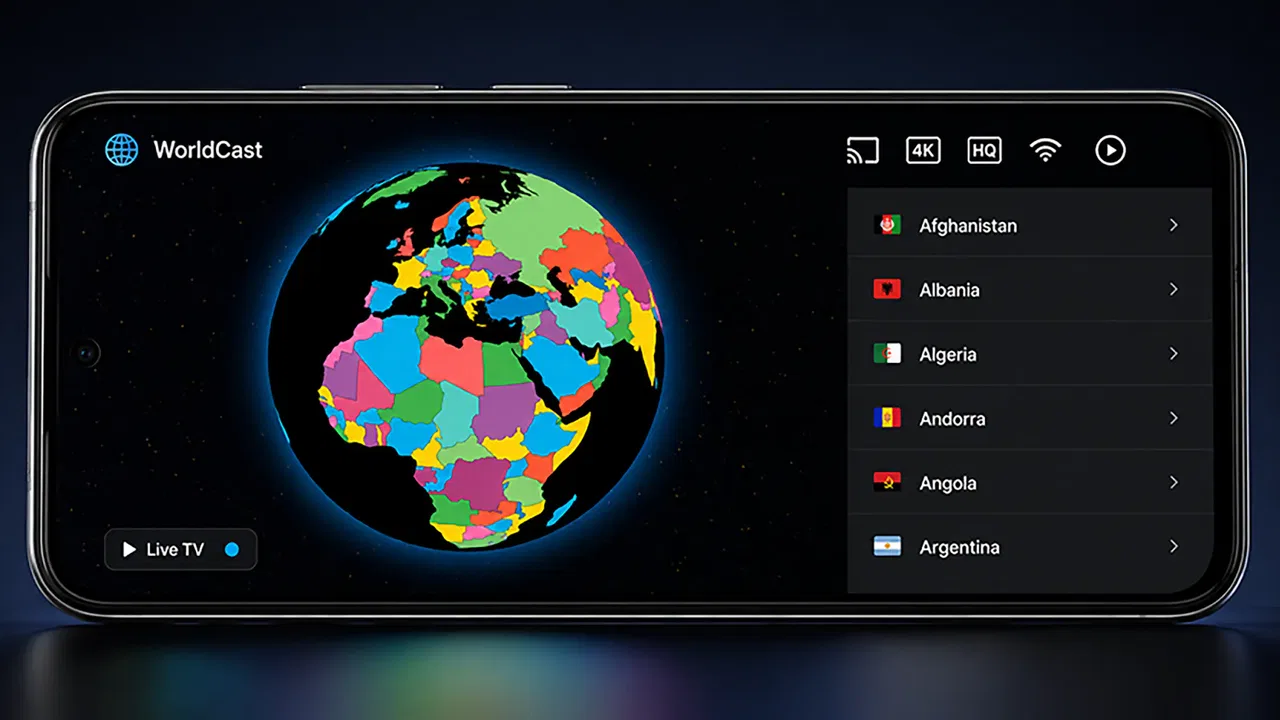
TV Garden - Live World TV
- 4.3
- Rating
- 50.00K
- Installs
- Free
- Price

 Analysis by App-foxy
I approached TV Garden - Live World TV as someone looking for a simple way to explore television streams from different parts of the world, rather than as a replacement for a full streaming subscription. It is an Events app from Channel 9 Devs, and its central idea is easy to understand: use it as a video player for your own TV streams. That wording matters, because the experience depends on the streams you choose and use, not on a large built-in entertainment catalog.
My first impression is that the app is aimed at curiosity and convenience. It can suit someone who wants to keep a collection of international channels in one place, check a familiar broadcaster while traveling, or use a phone as a quick window into live television elsewhere. It is free, rated for Everyone, and supports Android 7.0 or later, so the technical entry point is fairly approachable. The current version is 1.0.1, which also makes me view it as a young app that should be judged mainly by how clearly it handles the basics.
What to expect before you start
The most important expectation to set is that this is not the same thing as opening a conventional television service and immediately browsing a guaranteed library of shows. TV Garden is a player for streams that you provide or select for use. That makes it more flexible than a single-network app, but it also places more responsibility on the viewer: a stream must be available, compatible, and legally usable in your location.
You May Also Like

 Blood Strike: 2.5 Anniversary
Blood Strike’s Loadouts Turn Every Drop Into a Tactical Gamble
A close look at Blood Strike’s custom loadouts: how fast access to signature weapons reshapes its battle royale rhythm, rewards preparation, and narrows the gap between fights.

 Pandora - Music & Podcasts
Pandora’s Music Is Easy to Start, but Harder to Recover
Pandora’s strength is its low-effort path from a seed to a station. Its weak spot is how much confidence it asks you to place in connection, setup, and quiet recovery.

 8 Ball Pool
 Is Built on Rivalries, Rematches, and Routine
A close look at the rivalries, rematches, shared routines, and unanswered safety questions that turn a quick pool match into a persistent mobile community.

 Samsung Music
’s Quiet Strength Is Playing What You Already Own
Its reach comes less from spectacle than from dependable access to a personal library. That simplicity is both the app’s strongest retention engine and its ceiling.

 AccuWeather: Weather Radar
AccuWeather Review: A Quick, Clear Forecast for Everyday Decisions
For everyday plans, the best forecast is the one you can understand quickly. AccuWeather makes rain timing, radar, and local conditions easy to act on, with a few trade-offs.

 Hill Climb Racing
Why Hill Climb Racing Still Turns Crashes Into One More Run
A tiny car, a bumpy hill and one more upgrade: Hill Climb Racing keeps resurfacing because its simple chaos makes every near-miss feel personal.
More From Our News Desk



That trade-off is the app’s defining strength and its main limitation at the same time. A subscription platform usually gives you polished discovery, stable playback, and a controlled catalog. A general-purpose stream player can be more open, but it cannot make every source reliable. When a channel fails to load, the cause may be the stream rather than the player, and a first-time user needs to understand that distinction before assuming the app is broken.
In practical terms, I would use it for short viewing sessions, international discovery, and keeping personally chosen streams accessible. I would be more cautious about making it my only option for an important live broadcast. If you need a guaranteed sports event, a catch-up library, subtitles, recording, parental controls, or a tightly organized program guide, a dedicated broadcaster app or established streaming service is likely the better fit.
The app’s public reception is encouraging without being enough to remove all uncertainty. It has a 4.3 average from around 275 ratings, with over 50 thousand installs. I read that as a sign that the basic concept works for a meaningful group of users, while also remembering that a relatively young app can still have rough edges that become clearer as more people try different streams and devices.
Installing it with the right expectations
Installation itself should feel familiar to Android users. The app is free, and its Everyone content rating makes it suitable for a broad audience. After installing, I would avoid treating the first screen as a promise that every channel in the world is instantly available. Instead, I would think of the opening session as a small setup exercise: identify how the app expects streams to be supplied, choose one source you trust, and test that source before spending time organizing anything else.
This approach saves frustration. A common mistake with stream tools is trying several unfamiliar sources at once, then not knowing whether a problem comes from the app, the network, the source, or the format. Testing one stream gives you a useful baseline. If it plays, you have confirmed that the basic path works. If it does not, you can investigate that single source without creating a confusing pile of possible causes.
I also recommend starting on a stable connection and giving the player a moment before repeatedly tapping controls. Live video can take longer to begin than an ordinary local clip, especially when the source is distant or busy. Repeatedly restarting a stream may make the session look less reliable than it really is. My first-use habit would be simple: select one known source, wait briefly, observe whether playback begins, and only then move on to another.
The first meaningful success
For a first-time user, success should not mean building a huge collection. It should mean getting one personally useful stream to play and knowing how to return to it. That small goal is more valuable than immediately exploring every option, because it shows whether the app fits your routine.
A realistic example would be someone who moved abroad and wants to check a television stream from home during breakfast. I would install the app, prepare one legitimate stream from a familiar broadcaster, test it while connected to a dependable network, and keep that source as the starting point for future sessions. The benefit is not simply watching one program; it is reducing the number of steps between opening the phone and reaching a source I already trust.
Another useful scenario is language practice. I might choose a news or general-interest stream in a language I am learning and watch for a short period each day. Here, the app’s value comes from access to selected live sources rather than from recommendations. I can decide what is relevant instead of relying on an algorithm that may keep presenting content in my default language.
There is also a travel use case. A hotel television may be limited, unfamiliar, or inconvenient, while a phone is already available. With a suitable stream and a reliable connection, the app can provide a quick way to check television from another region. I would still treat it as a lightweight option, not as a guarantee of uninterrupted viewing, because travel networks and source availability can vary.
One practical tip is to judge a stream over more than the first few seconds. A source may open correctly but stop later, while another may take a little longer to begin and then remain steady. If a particular channel matters to you, test it at the time and place where you normally intend to watch it. That gives you a more realistic answer than a quick test on a strong home connection.
Where first-time users may get confused
The phrase “your own TV streams” can be easy to overlook, yet it explains nearly every important boundary in the experience. Some people may install the app expecting a ready-made television guide, then wonder why their preferred channel is not immediately available. The better mental model is a viewing tool that works with selected stream sources, not a broadcaster that owns or supplies every program.
Another possible confusion is the difference between a channel being visible and a channel being playable. A source can exist but still be offline, restricted, overloaded, or incompatible with the current connection. If one stream fails while another works, that points toward a source-specific issue rather than proving that the entire app is unusable. I would test a second trusted source before making a final judgment.
It is also worth separating live viewing from on-demand viewing. A live stream normally has no convenient starting point, rewind history, or guaranteed replay just because it appears in a player. If you are accustomed to services that pause, restart, or provide a full episode library, TV Garden may feel intentionally minimal. That simplicity is useful when you want to open a live source quickly, but it is less suitable when you want complete control over playback.
Network conditions deserve attention too. Video quality is not determined only by the phone. The source, route, congestion, and connection stability all matter. If a stream buffers, I would first check whether other streams behave the same way, then try a stronger connection, and only after that consider reinstalling or blaming the application. This troubleshooting order is faster and avoids unnecessary changes.
Finally, users should be selective about sources. The app’s ability to play a stream should not be confused with permission to redistribute or watch every stream found online. I would stick to sources made available by their owners or otherwise authorized for viewing in my region. That is not just a legal consideration; reputable sources are also more likely to remain stable and predictable over time.
How it compares with familiar alternatives
Compared with a broadcaster’s own app, TV Garden can be more convenient when I want to bring selected sources together instead of switching between separate services. The dedicated broadcaster usually wins on official content, program information, support, and playback consistency. If my priority is one network’s news, shows, or live schedule, I would choose that network’s application first.
Compared with a subscription streaming platform, this app is less polished as an entertainment destination but potentially more personal as a stream player. Subscription services are designed around discovery, recommendations, and a managed catalog. TV Garden makes more sense when I already know what I want to watch or want to explore television from a particular place without committing to a broad package.
Compared with watching streams in a mobile browser, a dedicated player can offer a cleaner, more focused viewing path. I do not have to keep a browser tab open or navigate around a web page while trying to watch. The trade-off is that the app cannot fix a poorly prepared source. A browser may sometimes provide extra context about a channel, while this app is more focused on the playback task itself.
Compared with a full media-center setup, it is much easier to approach but less suited to elaborate home entertainment management. I would not expect the same level of customization, remote-control integration, library organization, or television scheduling that a dedicated living-room system may provide. Its appeal is the smaller commitment: install it, add or select useful streams, and watch from the phone when that is enough.
Small habits that make the app more useful
I would keep the first collection deliberately small. Three dependable sources are more useful than a long list that I never test. A compact set might include one source from home, one source for language practice, and one source I use for international news. This makes the app feel like a personal dashboard rather than an unmanageable directory.
I would also record what each source is for outside the app if the app does not make that context obvious. A short note such as “morning news” or “family region” prevents me from opening several similar entries just to remember which one I wanted. This is a simple workflow improvement, but it matters more in a player built around personal sources than in a service with prominent program artwork and descriptions.
For shared household use, I would agree on a small set of appropriate streams rather than handing over an unfiltered collection. The Everyone rating describes the app’s general content classification, not the nature of every stream a user might choose. Families should still make their own decisions about which sources are suitable, especially when the app’s flexibility allows users to bring in material from many places.
On a limited mobile connection, I would avoid treating live video as background audio. A stream can consume data continuously, and a long session may be a poor match for a restrictive plan. If I only need a quick check, I would watch briefly and close the player rather than leaving it running while doing something else. This is a practical limitation of live video use, not a reason to expect the app to behave like an offline player.
For a larger screen, I would test the experience before planning a group viewing session. A phone is the obvious starting point, but viewing comfort depends on the device and the stream. If the source is important, I would confirm that playback is stable on the intended screen and that the controls remain convenient. The app’s core promise is stream playback, not a guaranteed living-room television replacement.
Who should try it and who should skip it
I think TV Garden is a good match for curious viewers who already have legitimate streams in mind and want a focused way to play them. It is also appealing for people who follow television from more than one country, travelers who want a familiar source nearby, and language learners who prefer live material over carefully packaged lessons.
I would recommend it less strongly to someone who wants to install one app and receive a complete, dependable catalog with no setup decisions. That person may be happier with a recognized broadcaster or subscription service. The same is true for viewers who need recordings, extensive catch-up viewing, a detailed schedule, or guaranteed access to a particular event. TV Garden’s flexibility does not replace those specialized features.
It may also be the wrong choice if your internet connection is unreliable and live playback is central to your routine. Because the app works with streams, the quality of the final experience can depend on factors outside its control. A downloaded video service may be more comfortable for commuting or areas with weak coverage, while this player is better when you can provide a stable connection and a source worth watching.
My next step after testing it
After confirming that one stream plays, I would spend a little time deciding whether the app solves a recurring problem. If I only opened it once out of curiosity and have no regular sources to follow, it may not earn a permanent place on my phone. If I repeatedly check international television, however, the convenience of keeping those streams within one viewing workflow can become worthwhile.
I would update my small collection gradually rather than adding everything at once. When a source stops working, I would remove or replace that single entry and test the replacement independently. This keeps troubleshooting manageable and helps me learn which sources are dependable in my own situation. It also prevents one failed channel from making the entire app feel unreliable.
Channel 9 Devs has built an app with a clear, useful focus: it gives personal TV streams a dedicated place to play. The current release is still early enough that I would approach it with realistic expectations, but the concept is practical when the user understands the setup. Its value is strongest in the space between a browser and a full streaming subscription.
My recommendation is straightforward: try it if you have a few legitimate world-TV streams you genuinely want to watch, and begin with one source rather than a large collection. Give yourself a successful first playback, learn how to distinguish source problems from player problems, and then decide whether the convenience fits your routine. TV Garden is at its best when you want control over what you watch, not when you want the app to choose and provide everything for you.
FAQs for TV Garden - Live World TV
01What is TV Garden - Live World TV and what does it offer?
TV Garden - Live World TV is a streaming application that provides users access to a wide range of live TV channels from around the world. It offers channels in various categories such as news, sports, entertainment, and more. The app aims to deliver a diverse viewing experience with easy navigation and high-quality streaming.
02Is TV Garden - Live World TV free to use, or are there subscription fees?
TV Garden - Live World TV offers a free version with limited access to channels. However, for a more comprehensive selection and additional features like ad-free viewing, users might need to subscribe to a premium version. Always check the app's official page for the latest pricing and subscription details.
03On which devices can I use TV Garden - Live World TV?
TV Garden - Live World TV is available for both Android and iOS devices, making it accessible on smartphones and tablets. Ensure your device meets the necessary software requirements for smooth performance. Check the app store for any specific device compatibility notes or updates.
04Does TV Garden - Live World TV require an internet connection?
Yes, TV Garden - Live World TV requires a stable internet connection to stream live TV channels. A Wi-Fi connection is recommended for the best viewing experience and to avoid excessive data usage. Streaming over cellular data may incur additional charges depending on your mobile plan.
05How is the user interface and streaming quality of TV Garden - Live World TV?
The user interface of TV Garden - Live World TV is designed to be intuitive and user-friendly, allowing easy navigation through various categories and channels. The app offers high-quality streaming, but the quality might vary based on your internet connection. Users can expect smooth playback with minimal buffering under optimal conditions.
Pros
- Wide variety of channels available.
- User-friendly interface for easy navigation.
- High-quality streaming with minimal buffering.
- Regular updates with new content.
- Supports multiple languages for global users.
Cons
- Requires stable internet for smooth streaming.
- Ads can be intrusive at times.
- Limited offline viewing options.
- Subscription needed for premium features.
- Some channels may not be available in all regions.

TV Garden - Live World TV
Gallery